

Introduction
What Databasify is and how it works.
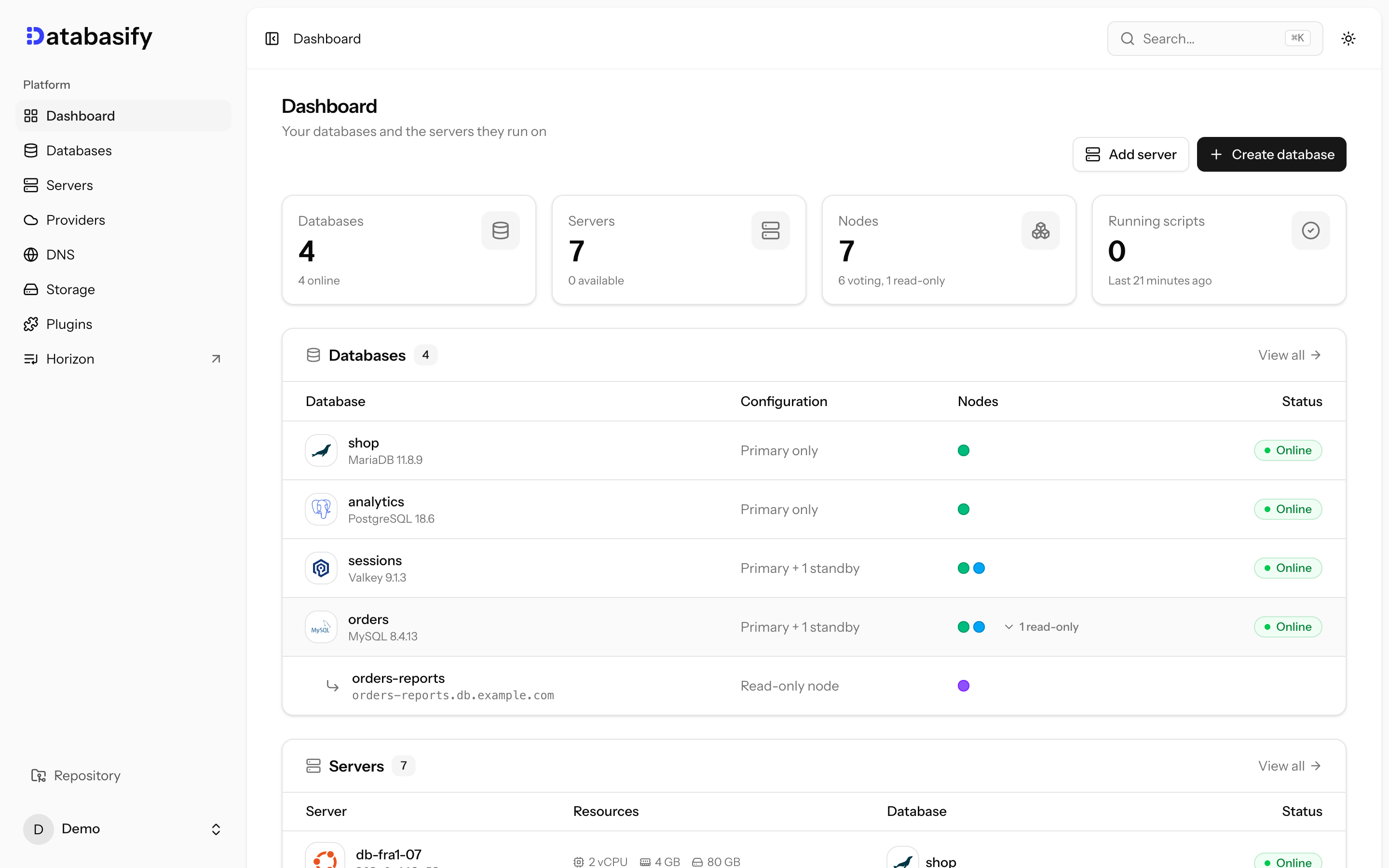
Databasify turns Linux servers you own into managed MySQL, MariaDB, PostgreSQL, MongoDB, Valkey and Redis databases, from a single node to a highly available cluster, with one web UI to run them.
It is open source under the Apache 2.0 license. The code is on GitHub.
Install
On a Linux server with at least 1 GB of memory:
curl -fsSL https://raw.githubusercontent.com/databasifylabs/databasify/0.x/scripts/install.sh | sudo bashFeatures
Six engines
PostgreSQL, MySQL, MariaDB, MongoDB, Valkey and Redis, from a single node to a highly available cluster.
Failover
A primary with standbys, automatic failover and read-only nodes.
TLS and your own domain
TLS on every connection and hostnames on your domain that follow the primary.
Point-in-time recovery
Daily base backups and archived changes in any S3-compatible bucket.
Migrations
Copy an existing database once, or keep it in sync until you cut over.
Your servers
Any server over SSH, or new servers on DigitalOcean, Hetzner, Vultr or Linode.
How it works
- You install Databasify on one Linux server. It runs as a set of Docker containers.
- You add the servers that will run your databases, either existing servers over SSH or new servers that Databasify orders from a server provider.
- Databasify connects to those servers over SSH, installs Docker, and runs each database node in its own container.
- Each engine uses its own high-availability tooling: Patroni and etcd for PostgreSQL, InnoDB Cluster for MySQL, Galera for MariaDB, a replica set for MongoDB and Sentinel for Valkey and Redis. Failover keeps working while the Databasify app is down.
- Every minute Databasify reads the status and metrics of each node over SSH. There is no agent to install.
What you get
- A primary with optional standbys, automatic failover and read-only nodes. See Nodes.
- TLS on every client connection, with a private CA per database. See Connecting.
- Hostnames on your own domain that follow the primary. See Custom domains.
- Users, databases, PostgreSQL connection pools, trusted sources, metrics, logs and email alerts.
- Point-in-time recovery to an S3-compatible bucket. See Backups.
- Migrations from an existing database. See Migrating.
- Automatic patch updates in a weekly maintenance window.
Next steps
- Check the requirements.
- Install Databasify.
- Create your first database.